
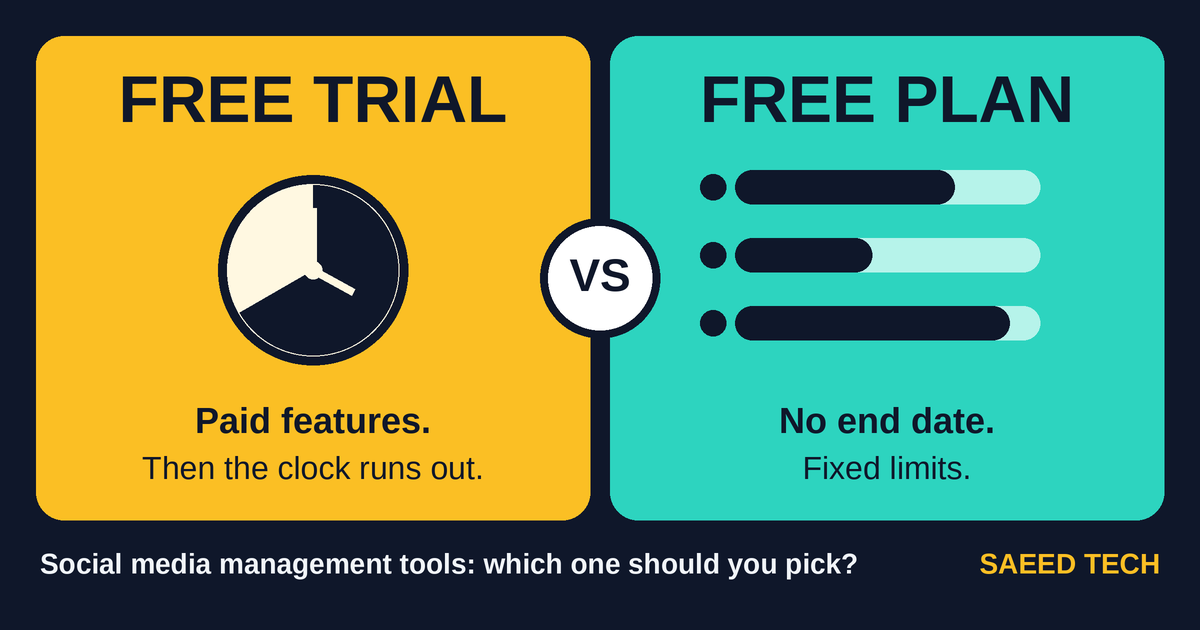
You are looking for a way to schedule social media posts without paying upfront. You find a tool you like, and the signup page shows two buttons: “Start free trial” and “Get started free.” They look like the same offer described in different words.
They are not. A free trial and a free plan work in very different ways, and choosing the wrong one has real consequences. Choose a trial carelessly and you can end up paying for a subscription you never meant to buy. Build your routine on the wrong free plan and you can hit its limits within a month. Fill a trial account with scheduled posts without reading the downgrade rules, and part of that queue can stop working the day the trial ends.
This guide explains the difference in plain language, using two real examples throughout: Buffer, which offers both a trial and a free plan, and Meta Business Suite, which is completely free for Facebook and Instagram. It also covers the parts most comparison pages skip: a simple decision framework, the actual maths of free plan limits, what gets locked away when a trial ends, and a zero-budget weekly workflow you can start today. Plans and limits change often, so treat every number here as a starting point and confirm the current terms on each tool’s own page before you sign up.
What a free trial actually gives you, and what it asks in return
A free trial gives you the paid version of a tool for a limited time. During that window you can use the features that normally cost money: more channels, a larger scheduling queue, extra team seats, approval steps, and more detailed reports. When the clock runs out, one of three things happens. The account starts charging you. The account drops down to the free plan. Or the account is locked until you choose a plan. Which of the three applies depends entirely on the company, and the signup page does not always make it obvious.
That is what a trial asks in return: a decision by a fixed date, and often your card details at the start. The US Federal Trade Commission’s consumer advice on free trials makes this point plainly. Trials usually ask for card details so the company can charge you if you do not cancel before the trial ends, and the FTC suggests putting the end date in your calendar. Not every tool works this way, but you should never assume yours is an exception.
Buffer is one of the friendlier examples. Its pricing page says you can try its paid plans, and that during the trial you can upgrade or switch to its Free plan at any time. You can also skip the trial completely and start on the Free plan straight away. That kind of clear downgrade path is exactly what to look for, because many tools are much quieter about what happens at the end.
Keep one distinction in mind. A trial is a good test of paid features, and it answers one question well: are these specific features worth money to you? It is a poor test of your habits. Fourteen days of enthusiastic posting during a trial tells you very little about whether you will still be posting in month three, and consistency is the part that actually builds an audience.
What a free plan gives you, and where the walls are
A free plan is a permanent, trimmed-down version of the product. It does not expire. There is no end date to forget and no card held against a deadline. The trade-off is limits, and you will meet them as you grow.
Buffer’s Free plan allows up to three channels and ten scheduled posts per channel at a time. The words “at a time” matter more than most people realise, because the queue refills as posts go out. Space opens up again every time a scheduled post publishes. If you post once a day on a channel, ten queued posts means roughly ten days of content planned ahead. That is comfortable for a small account and tight for a busy one, and I will work through the numbers properly in a later section.
The other walls on free plans are less visible. Analytics usually cover a shorter history. Team features are reduced or absent, so a free plan typically means one person working alone. Saved templates, hashtag groups and similar conveniences may be limited. None of this matters much at beginner volume. All of it starts to matter when posting becomes a team job or a client deliverable.
So the honest summary is this: a free plan gives you permanence and predictability, and takes away headroom. For a beginner, headroom is usually the thing they need least.
The free option most people walk past: the platforms’ own tools
Before comparing trials and free plans any further, it is worth pausing on a third option that costs nothing and never expires: the scheduling tools the platforms provide themselves.
Meta Business Suite is the strongest example. It is free, and it lets you create, schedule and manage posts and stories across a Facebook Page and an Instagram account, with an inbox for messages and comments and a set of insights included. For someone whose audience lives on those two platforms, this single tool covers the entire job.
The catch is in the design. Meta Business Suite is built for Meta’s own platforms, so if you also publish to LinkedIn, X, TikTok or Pinterest, you will need something else alongside it. It is a complete answer for two networks and no answer at all for the rest.
Smaller versions of the same idea exist elsewhere. YouTube Studio allows you to schedule uploads natively. LinkedIn offers scheduling from its own compose box. TikTok provides a scheduling option on desktop. None of these replaces a proper management tool once you publish across four or five networks, but together they mean a beginner working on one or two platforms may not need a third-party tool at all.
Pinterest is the common gap. Neither Meta Business Suite nor most free plans were designed around it, and Pinterest rewards a slower, search-focused routine rather than daily scheduling. If Pinterest is part of your plan, my Pinterest for beginners guide explains how to set it up properly alongside the rest of your posting.
Trial, free plan and native tools, side by side
| Free trial (Buffer paid plans) | Free plan (Buffer Free) | Native free tools (Meta Business Suite) | |
|---|---|---|---|
| Cost today | $0 during the trial | $0 | $0 |
| Time limit | Fixed trial period, then a decision is forced | None | None |
| Channels | Full paid allowance during the trial | Up to 3 channels | Facebook Page and Instagram only |
| Scheduling queue | Full paid allowance during the trial | 10 scheduled posts per channel at a time, refills as posts publish | Built-in scheduling for posts and stories |
| Reports and analytics | Full paid reporting during the trial | Basic | Insights included |
| Card details | Often requested, depends on the tool | Not required | Not required |
| What happens at the end | Charge, downgrade or lock, depending on the company | Nothing, it simply continues | Nothing, it simply continues |
| Best suited to | Testing named paid features with real content ready | One to three networks at a steady, modest volume | Accounts that live on Facebook and Instagram |
Read the table from the bottom up. The right column is the right answer for more beginners than the industry likes to admit.
Three questions that settle the choice
Forget feature lists for a moment. In my experience, three questions decide this choice more reliably than any comparison chart.
First, how many networks do you actually post to every week? Count the accounts you feed, not the accounts you own. Most beginners own five profiles and genuinely post to two. If the honest answer is one or two, native tools or a free plan will almost certainly carry you. If it is four or more, every week, you are in trial territory.
Second, what is your weekly volume per channel? A queue limit only bites relative to how often you post. Three posts a week against a ten-post queue is more than three weeks of planning headroom. Two posts a day against the same queue is five days, and you will feel that limit quickly.
Third, can you name the paid feature you need, in one sentence? Real examples sound like this: “I need a monthly report I can send to a client.” “Two of us need to approve posts before they go out.” “I need to schedule to six channels from one dashboard.” If you cannot finish that sentence, you do not need a trial yet. You need a posting habit, and free tools are the right place to build one.
My working rule is simple. Pay when a named limit is costing you time every single week. Do not pay when a limit might cost you time one day.
How far Buffer’s free limits actually go
The ten-post queue sounds restrictive until you run the numbers against real posting patterns, because the queue refills as posts publish.
- Posting once a day: the queue holds about ten days of content.
- Posting five times a week: about two weeks of content.
- Posting three times a week: more than three weeks of content.
- Posting twice a week: about five weeks of content.
In practice, the ceiling on Buffer’s Free plan is rarely the post queue. It is the three-channel limit. A beginner posting daily to four networks runs out of channels on day one, while a beginner posting three times a week to two networks may not touch either limit for a year.
There is a second piece of maths that matters more, and it concerns upgrading. Buffer’s pricing page states that paid plans are charged per channel, and that if you upgrade from the Free plan, you pay for each channel, including the ones you were already using for free. Your cost therefore grows with the number of channels you connect. Connect three active channels and the bill is one thing. Connect eight, three of them dormant, and you are paying monthly for accounts you barely use. Do that sum before you connect everything, not after the first invoice arrives.
What gets locked away when a trial ends
Moving between plans is where beginners get caught out, and the end of a trial is the sharpest edge.
Buffer documents its own behaviour clearly. Its pricing page explains that when a trial ends, scheduled posts keep publishing as long as the connected channels are not locked, and channels get locked if you are over the Free plan’s three-channel limit. In plain terms, if you connected five channels during the trial and then drop to Free, the channels beyond the limit lock. The practical lesson is to decide which three channels you intend to keep well before the trial runs out, and to treat any extra channels as temporary test subjects.
Other tools set their own rules, but the pattern repeats in different forms. Material you created inside paid-only areas, such as a report layout, a saved approval flow, or a large queue of scheduled posts, can become inaccessible or read-only after a downgrade. Analytics history gathered during the trial may no longer be viewable on a free tier. Team members added during the trial can lose access entirely.
There is a cheap defence against all of this. Before any trial ends, spend ten minutes copying the essentials into a place you own: a screenshot or export of your scheduled queue, the captions you worked hard on, and the headline numbers from your best posts, saved in a simple spreadsheet. If the downgrade is gentle, you have lost ten minutes. If it is not, you have saved your content.
How to run a trial properly, if you run one at all
Trials are wasted more often than they are used. The usual pattern is three days of exploring menus, a week of forgetting the tool exists, and a panicked cancellation (or an unwanted charge) on the final day. If you do decide to test paid features, structure the trial before it starts, whatever its length.
Before the first day: prepare the content. Draft at least two weeks of posts, or the full trial period’s worth if it is shorter. Decide which one or two paid features you are actually testing, and write them down. Set a calendar reminder for two days before the end date, not on the end date itself.
First third of the trial: set the tool up the way you would use it if you were paying. Connect the channels you genuinely intend to keep, plus any extras you are honestly evaluating. Load the queue with your prepared content so the tool is working with real material from the start.
Middle of the trial: run the paid features on real work. Produce the client report. Send a post through the approval flow. Use the larger queue the way you would in a normal busy week. Note, honestly and in writing, how much time each feature saved you, if any.
Final third: decide on evidence, not on hope. If you are downgrading, remove the channels above the free limit yourself, in your preferred order, and back up your queue as described above. If you are upgrading, remove dormant channels first so you are not paying for them. If you are leaving, cancel through the tool’s own cancellation path and confirm the cancellation took effect.
A seven-day trial compresses these phases but does not change them. The discipline is the value. A well-run trial that ends in “no” has still done its job, because you now know the paid features are not worth money to you, and you learned it for free.
A zero-budget weekly workflow that holds together
Here is the setup I recommend to a beginner who wants to spend nothing and still post consistently. It uses Meta Business Suite and Buffer’s Free plan together, and it takes one focused session a week.
- Batch your content in one sitting. Set aside 60 to 90 minutes on a fixed day. Write the week’s captions in one session rather than composing under pressure each morning. If first drafts are the slow part for you, my guide to AI tools for digital marketing covers free and low-cost options that help with drafts and ideas, which you then edit into your own voice.
- Schedule Facebook and Instagram in Meta Business Suite. It is free, it is built by the platforms, and it covers posts, stories, inbox and basic insights in one place.
- Schedule up to three other channels in Buffer Free. With a ten-post queue per channel that refills as posts publish, a weekly batching session keeps most small accounts comfortably ahead.
- Keep a simple content list outside the tools. A spreadsheet or notes document with the date, network, caption and status of each post. This list is your insurance. If you change tools or downgrade a plan, your content and your plan survive the move.
- Give Pinterest its own slower rhythm. A few considered pins a week, tied to content you have already published, suits the platform better than daily volume. The Pinterest for beginners guide linked earlier covers that setup in full.
- Close the week with fifteen minutes of review. Check what actually went out, note your two best-performing posts, and refill the queues during your next session. Small, regular review beats occasional deep analysis at this stage.
Scheduling is only one part of the stack, of course. For design tools, caption help and the rest of a complete setup that costs nothing, see my guide to the best free tools for social media marketing, which lays out a full zero-budget kit.
One honest limitation: this workflow trades money for time. Expect it to take a couple of hours a week once it is familiar, and a little more in the first fortnight while the routine settles. That is a fair trade for most beginners. It stops being fair when your time becomes the scarce resource, and that, rather than any feature list, is the signal that a paid plan may be worth considering.
Mistakes that cost beginners money or momentum
Most of these are small errors. Their cost comes from how quietly they happen.
- Starting a trial with no content ready. The clock runs whether you post or not, and a trial spent exploring an empty dashboard teaches you almost nothing.
- Connecting every channel you own. On a per-channel pricing model this raises your upgrade cost, and on a downgrade it is the extra channels that get locked. Connect what you feed weekly.
- Forgetting the end date. This is the single most expensive mistake on this list. The FTC’s advice exists because it happens constantly: set the calendar reminder on day one.
- Entering card details before testing the free version. If a tool has a free plan, learn it there first. Card details should be the last step of a decision, not the first step of an experiment.
- Choosing from the feature list instead of your posting pattern. A tool can win every feature comparison and still be wrong for someone who posts twice a week to two networks.
- Ignoring the free tool the platform itself provides. Paying a third party to schedule Facebook posts while Meta Business Suite sits unused is a common and avoidable expense.
- Letting a trial roll into a paid month “to decide later.” That is a decision, and it is usually the most expensive version of one. Decide before the deadline, on the evidence you gathered.
- Keeping your only copy of captions and queues inside the tool. Plans change, tools change their limits, accounts get locked. The spreadsheet backup described earlier removes most of this risk for ten minutes of effort.
Short answers to questions readers send me
Is a free trial better than a free plan? Neither is better in general. A trial is better for testing specific paid features over a short period. A free plan is better for low-volume, long-term use with no deadline attached.
Do free trials need a credit card? Some do and some do not. The FTC notes that card details are usually requested so a company can charge you if you do not cancel in time, so read the signup page carefully and check before you proceed.
Can I schedule social media posts for free? Yes. Meta Business Suite is free for Facebook and Instagram, and tools such as Buffer offer free plans with limits on channels and scheduled posts. Limits change over time, so check the current terms before relying on them.
What happens to my scheduled posts when a trial ends? It depends on the tool. With Buffer, scheduled posts keep publishing as long as the connected channels are not locked, which happens when you are over the Free plan’s three-channel limit.
Where I land on this
If you post only to Facebook and Instagram, start with Meta Business Suite and spend nothing. It is purpose-built, it is free, and it covers more of the job than most beginners expect.
If you post to two or three networks at a modest volume, start on a free plan such as Buffer Free and stay there until a specific limit starts costing you time every week. Name the limit when it happens. That name is your buying signal.
Run a trial only when you can state, in one sentence, the paid feature you are testing, and only with real content prepared and a calendar reminder set for two days before the end.
Speaking personally, I would rather see a beginner spend their first month proving they can post consistently on free tools than spend it touring dashboards. Audiences are built by the posting, not by the software, and no subscription supplies the consistency part. When a free limit genuinely starts to hurt, a paid plan stops being a gamble and becomes a straightforward purchase. Until that day, keep the money and keep the routine simple.
Sources: Buffer pricing page; US Federal Trade Commission, “Free Trial Offers Can Cost You”; Meta Business Suite (Apple App Store listing).
I need work with them