
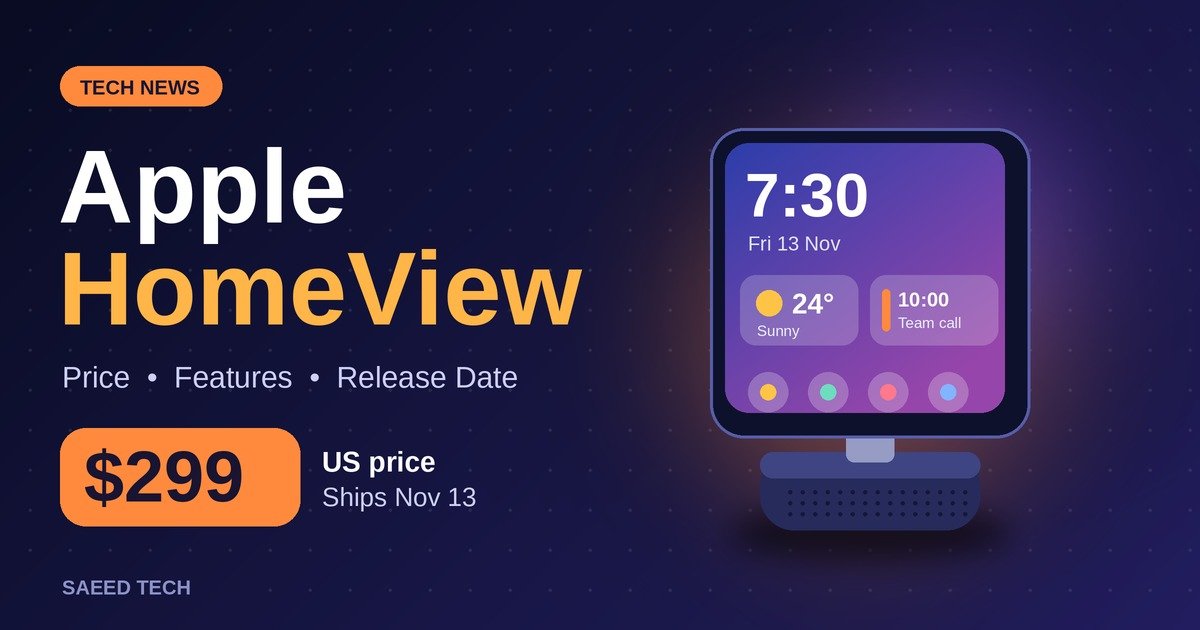
Apple spent years teasing a smart display, and on October 13, 2026 it finally showed one. It is called HomeView, it costs $299 in the United States, and it goes on sale on November 13. I have covered Apple launches for this site for a while now, and this one interests me more than most, because it is not really about a screen. It is about whether Apple can finally become the company that runs your home, not just the phone in your pocket.
If you have been wondering what HomeView actually does, how it compares with an Amazon Echo Show or a Google Nest Hub, and whether you can even buy one where you live, this guide covers all of it. I have stuck to what reliable tech outlets reported from Apple’s launch. Where nobody knows something yet, I say so plainly.
What HomeView actually is
HomeView is a smart home display. Picture a 7-inch square touchscreen held up by a stainless steel hinge on a rounded speaker base. It is made for a kitchen counter, a desk or a living room shelf, and you can use it by touch or by voice. There are two versions, a tabletop model and a wall-mounted one, and unusually for Apple, both cost the same $299.
Apple says it can play music, make FaceTime calls, show your home camera feeds, set timers, and pull up a recipe in a cleaned-up Safari page while your hands are covered in flour. It works as a control panel for your smart home, and it is built around Apple’s rebuilt Siri, which Apple calls Siri AI.
The timing matters. Apple’s HomePod speakers have trailed Amazon’s Alexa and Google’s devices in the smart home for years. HomePod is a good speaker that happens to answer questions; Echo and Nest devices became the default home assistants for millions of households while Apple watched. A screen changes the offer completely, because a display can show a camera feed, a recipe and a family calendar in ways a speaker never can. This is also one of the first big launches since John Ternus took over as CEO from Tim Cook on September 1, so it carries a bit of extra weight inside Apple. A screen is Apple’s way of saying it wants a real place in your kitchen.
Price, release date, and what else is coming
Here is the quick version:
- Price: $299 in the US, for both the tabletop HomeView and the wall-mounted version
- Pre-orders: opened on October 13
- Release date: November 13, 2026
- Also coming: the HomePod mini 2 on October 30, and a new Apple TV 4K on November 13
Pricing outside the US depends on your local Apple store, so check there if you are in one of the launch countries.
One thing worth thinking about before the launch-week excitement takes over: $299 is the price of one room. Smart displays have a habit of multiplying. People buy one for the kitchen, then want one in the bedroom, then one near the front door. At $299 each, a three-room HomeView setup costs close to $900 before you buy a single camera or lock. Amazon and Google built their lead partly on displays cheap enough to scatter around a house. Apple is asking you to place fewer, more expensive bets, and that shapes who this product really suits.
The hardware, piece by piece
Spec sheets get long, so here are the parts that change how you would actually use the thing.
The screen. HomeView has a 7-inch Liquid Retina display with True Tone and a peak brightness of 500 nits. It also dims all the way down to 0.3 nits, which is reportedly the dimmest display Apple has shipped on any product. That is the kind of detail that matters if you plan to keep it in a bedroom. A clock you can sleep next to is a genuine feature, and most rival displays are still too bright at night even on their lowest setting.
The camera. A Center Stage camera handles FaceTime calls, keeping you in frame as you move around the kitchen. It can also recognize who is walking up to the display and switch to that person’s calendar, messages, photos and widgets. In a shared home that is genuinely useful, because the display stops being a generic household screen and becomes a personal one for whoever is standing in front of it. It is also the feature some people will want to think hardest about, and I come back to it in the privacy section below.
The sound. The display houses two full-range drivers, and the tabletop base adds a down-firing woofer and two passive radiators. Apple calls it a custom-engineered acoustic system. On paper that is a more serious audio setup than most smart displays get, and it makes sense: Apple knows the kitchen display ends up as the house radio. Whether it actually sounds good is something we will only know once independent reviewers get their hands on it, and I would not buy it as a music speaker until then.
What it does not settle yet. Notice what is missing from the launch coverage: battery details (this is a plugged-in device), long-term software support promises, and any word on repair costs if the screen gets damaged. None of that is unusual for a launch announcement, but it is worth remembering when the price is $299.
A normal day with HomeView, at least on paper
Apple’s pitch for HomeView is a day that runs something like this. In the morning, the display wakes you with your own calendar, the weather, and the traffic on your route, because it recognized your face rather than your partner’s. In the kitchen at midday, it reads a recipe in a cleaned-up Safari page, keeps three timers running at once, and takes a FaceTime call from a parent without you touching anything with wet hands. When the doorbell rings, the camera feed appears on screen. In the evening, it dims to a faint clock and plays music at low volume.
I am describing the intended experience, not a tested one, because nobody outside Apple has lived with this device yet. Still, the pitch is worth spelling out, because it shows what Apple thinks a smart display is for: not a small television and not a tablet on a stand, but a shared family surface that quietly adjusts to whoever is nearby. Whether that feels magical or mildly intrusive in a real home is the question the first month of reviews will answer.
Faces, cameras, and the Apple Home Collection
Most of the daily value will come from the “faces” you can pin to the screen. These are customizable glanceable layouts, and two matter most. A Home Modular face gives quick access to your accessories, so lights, locks and thermostats sit one tap away. A Home Camera face can show up to nine camera feeds at once, which turns HomeView into a small security monitor for the house.
The bigger surprise of the launch was that Apple did not just announce a display. It announced the Apple Home Collection, a line of home accessories made with LG Electronics and Schneider Electric. It includes indoor and outdoor cameras, a video doorbell, a door lock and smart thermostats. That is a serious change in strategy. Apple used to leave home hardware to partners and simply provide the Home app; now it wants its name on the devices that watch your door.
HomeView works with Apple Home and Matter devices, so you are not limited to Apple’s own accessories. Matter support matters more than it might sound. It means many lights, plugs, sensors and locks from other brands can join the same system, which protects you if you ever add non-Apple gear later. There is also an intercom feature, so you can send a message from HomeView to another HomeView, a HomePod, an iPhone, an iPad or an Apple Watch. In a two-floor house, that small feature tends to get used daily.
Siri AI is the real product here
Strip away the hinge and the drivers, and HomeView’s success depends on one thing: the rebuilt Siri. Everything runs through Siri AI, and you can talk to it or use the touchscreen. Apple showed examples like replying to a text message by typing on the on-screen keyboard or by dictating, and asking follow-up questions that build on the conversation instead of starting over each time.
That is exactly the ground where the old Siri lost people. The old assistant was fine for timers and weather, and unreliable for much else. Amazon’s Alexa and Google’s assistant earned their place in homes by handling messy, real-world requests more gracefully. Apple is effectively admitting that with this rebuild. If Siri AI is genuinely better, HomeView has a reason to exist at $299. If it is the old Siri with a fresh coat of paint, no hinge design will save it, and the honest position right now is that nobody outside Apple knows. The software story is still moving, too: Siri AI is not yet available in iOS in the European Union, and my iOS 27 problems guide covers the wider state of Apple’s current software, what is broken and what has been fixed.
HomeView vs Echo Show and Nest Hub
Smart displays are not new. Amazon has sold the Echo Show since 2017, and Google has sold smart displays since 2018. Both companies sell models for well under $200, which makes $299 a premium price. Apple’s new camera, doorbell and lock line also puts it up against Ring (Amazon) and Nest (Google) for the first time.
| Apple HomeView | Amazon Echo Show range | Google Nest Hub range | |
|---|---|---|---|
| Price | $299, tabletop or wall-mounted | Models well under $200 | Models well under $200 |
| Assistant | Siri AI (rebuilt Siri) | Alexa | Google Assistant |
| Smart home system | Apple Home, Matter | Alexa smart home, Ring | Google Home, Nest |
| Recognizes who is in front of it | Yes, switches to that person’s content | Not a headline feature | Not a headline feature |
| Selling since | 2026 | 2017 | 2018 |
| Best suited to | Households already on iPhone and Apple gear | Alexa and Ring homes, tight budgets | Google services and Nest homes |
So what do you get for the extra hundred dollars or more? On paper: tighter integration with the iPhone and the rest of Apple’s gear, a camera that recognizes who is in front of it, and Apple’s own smart home accessories. What I cannot tell you yet is whether Siri AI is better than Alexa or Google’s assistant in daily use. Anyone who claims that before the device ships is guessing.
If you already live in Apple’s world, HomeView will probably feel natural. If you use Android, or you just want timers, music and the weather, a cheaper display does the job. If you are weighing up Apple’s other big releases, my iPhone 18 Pro breakdown covers what is actually new there.
The privacy question deserves a section of its own
HomeView’s smartest feature is also its most sensitive. A camera that recognizes faces and then pulls up that person’s messages, calendar and photos is convenient for a family. It is a different proposition for guests, for a cleaner or babysitter who walks past it, or for anyone who simply does not want a household screen that knows who they are.
Apple’s general reputation on privacy is stronger than most rivals, and face recognition of this kind is usually handled on the device rather than in the cloud. Even so, I would think about placement before purchase. A kitchen or living room unit that greets family members is one thing; the same camera in a hallway every visitor passes is another. Households will land in different places on this, and there is no wrong answer, but it should be a deliberate decision rather than a surprise after setup.
The practical steps are simple. Use a strong, unique password on your Apple ID and turn on two-factor authentication, because this display becomes a window into that account. My guide on how to set up two-factor authentication walks through it in a few minutes. Beyond that, decide which family members get recognized profiles, keep the camera’s role limited to shared spaces, and revisit the settings after the first week, when you know how the household actually uses it.
Who can actually buy one at launch
Apple’s launch list has eight countries: the United States, the United Kingdom, Canada, Australia, New Zealand, India, Singapore and South Africa. Apple is not selling HomeView in the European Union either, because Siri AI is not available in iOS there yet. Siri AI on HomeView launches in English only, in those same eight countries. As of October 28, we could not find an announcement of extra countries, a date for a second wave, or support for other languages such as Urdu.
Pakistan is not on the launch list. If you are in Pakistan and tempted to buy one through an importer, hold off until you have answers to a few questions that Apple has not addressed in anything we found. Will the Siri AI features work properly outside the launch countries? How would warranty and repairs be handled? Is the price after import markups worth it? Those are open questions, not confirmed problems, but they decide how much of the product you would really get for your money.
What to have ready before it arrives
If you do buy one, a little preparation makes setup day much smoother. None of this needs HomeView in your hands yet.
- An iPhone signed in to your Apple ID. Apple Home setup runs through the Home app on iPhone or iPad, and HomeView will belong to the same account.
- Your home Wi-Fi details. The display lives on your home network, so have the network name and password somewhere reachable, not on a router sticker in another building.
- A chosen spot with a power socket. Kitchen counter, desk or shelf for the tabletop model; a wall position near power for the mounted one. Think about the privacy point above before you drill anything.
- Your existing accessories and their setup codes. Matter and Apple Home accessories usually carry a small code sticker or card. Gathering lights, plugs and sensors (and their codes) in advance saves the classic setup-day hunt through drawers.
- A decision about recognized people. Know in advance whose faces the household is comfortable registering, and which calendars, messages and photos each profile should show.
- The Home app already organized. If your current Apple Home setup has accessories dumped in one default room, tidy the rooms first. HomeView’s faces mirror that structure, and a messy Home app makes a messy display.
Who should buy HomeView, and who should wait
It makes sense if:
- Your household already uses iPhones, iPads or Apple Watches, and you want one hub for calls, music and your smart home
- You like the idea of a display that shows each person their own calendar and messages
- You are in a launch country and curious about the Apple Home Collection
- Your current smart home gear is mostly Matter-based, so it can join without being replaced
Waiting makes sense if:
- You just want the cheapest way to get timers, music and weather; Echo Show and Nest Hub models cost far less
- You are outside the eight launch countries
- Most of your smart home is built on Alexa or Google gear that would not carry over
- You like to read independent reviews first, which is a sensible habit for any first-generation product; HomeView ships on November 13, so hands-on reviews should appear soon after
Questions people actually ask
How much does Apple HomeView cost?
It costs $299 in the US, for both the tabletop and the wall-mounted version.
When is the Apple HomeView release date?
November 13, 2026. Pre-orders opened on October 13.
Does HomeView work with Matter?
Yes. It works with Matter devices and with Apple Home accessories.
Is Apple HomeView available in Pakistan?
Not at launch. Pakistan is not among the eight launch countries.
Can you buy HomeView in Europe?
No. Apple is not selling it in the European Union because Siri AI is not available in iOS there yet.
Would I buy one?
HomeView is Apple’s first real smart display, and it arrives years after Amazon and Google got started. The hardware list is solid: a bright, dimmable 7-inch screen, a camera that knows who is in front of it, a more serious speaker than rivals usually bother with, and a full smart home line to go with it. But a smart display lives or dies on how good its assistant is, and that is the one thing nobody can judge until it is in people’s homes.
My own position is simple. If my household were fully Apple-based and I lived in a launch country, I would still wait for the first independent reviews after November 13, then buy one unit for the kitchen rather than several for the house. If I were building a smart home from zero on a budget, I would start with the cheaper Echo Show or Nest Hub models and put the savings into lights, plugs and a good lock, because those are the devices you interact with all day. HomeView looks like the best-built smart display yet announced. Whether it is the best one to live with is a question only Siri AI can answer, and I will update this article once the reviews are out.