
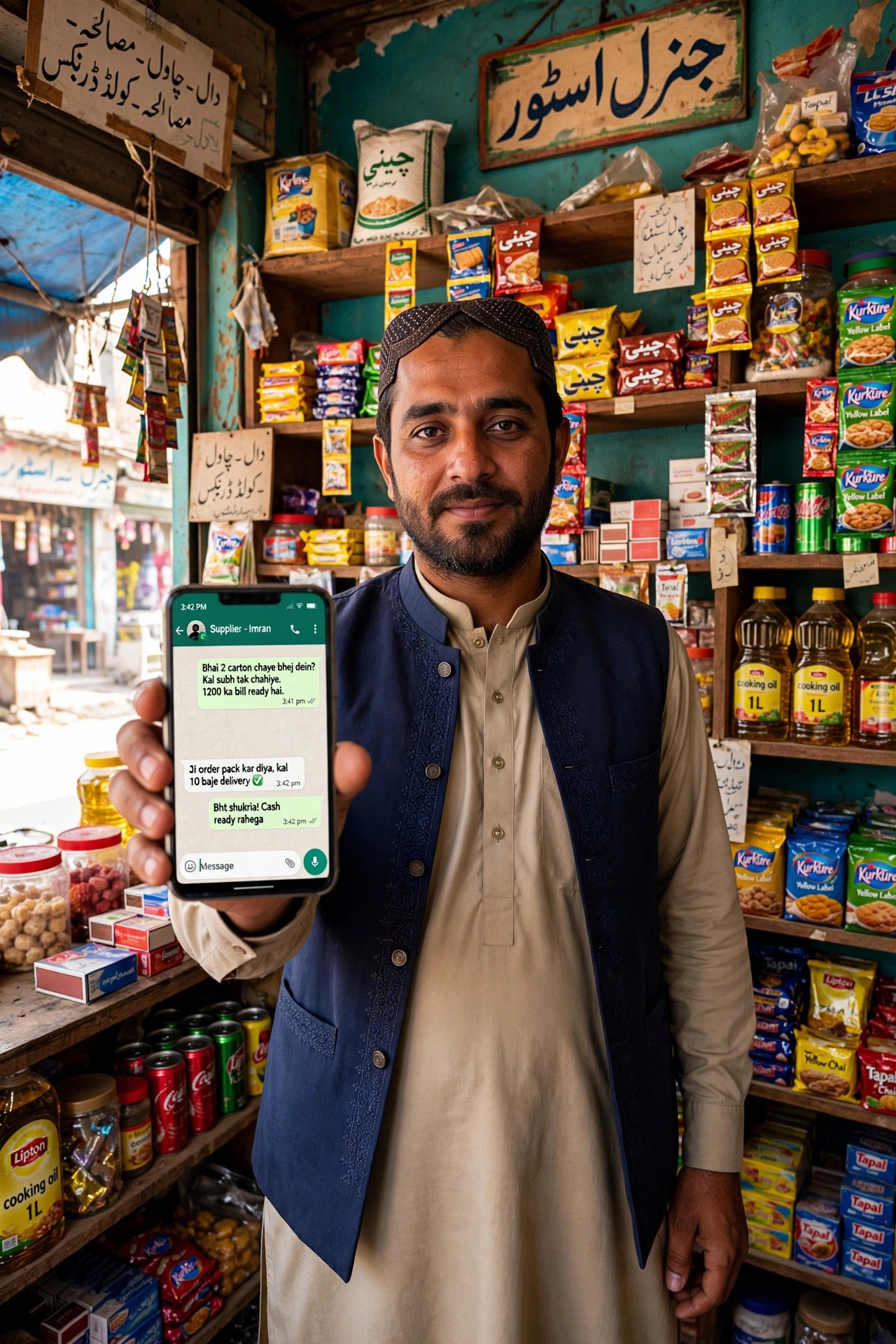
A few months ago, a friend who runs a small clothing shop in Quetta asked me a question I hear a lot. He had tried posting on Instagram, he had boosted one post for a few thousand rupees, and he had almost nothing to show for it. Then he said something that stuck with me: “Saeed, my customers are not on Instagram all day. They are on WhatsApp.”
He was right, and that is the whole reason this guide exists. In Pakistan, WhatsApp is not just another app. It is where family groups live, where shopkeepers confirm orders, where customers send a photo and ask, “Is this available in blue?” If you run a small business here, and you are still using your personal WhatsApp number with no profile, no catalog, and no system, you are leaving easy sales on the table. Not because you need fancy marketing. Because customers cannot easily find what you sell, what it costs, or whether you are even open.
I am not going to tell you WhatsApp Business will double your income in a week. It will not. What it can do, if you set it up properly and use it with some discipline, is turn messy chats into a small shop that works while you sleep, answer repeat questions for you, and keep your regular customers coming back. This is the setup I would use if I were starting a small shop in Pakistan today, and it costs nothing to start.
Why WhatsApp works better here than most marketing tools
Think about how people in Pakistan actually buy. A woman in Lahore sees a lawn suit on a Status. She does not want to create an account on a website, add it to a cart, and wait for an email. She wants to message the seller, ask about the fabric, confirm the size, and pay with JazzCash or cash on delivery. A man in Karachi wants to order biryani for his office, and he wants to do it in the same app where he already talks to his cousins.
That is the first advantage of WhatsApp Business. Your customers do not need to learn anything new. They already have the app, they already check it ten times a day, and a message from you does not get buried under an algorithm the way an Instagram post does.
The second advantage is cost. The WhatsApp Business app is free. A catalog is free. Quick replies are free. Broadcasts are free. For a shop that is selling suits for 2,500 rupees, or homemade pickles for 800 rupees a jar, or mobile accessories from a small counter in Saddar, that matters. You do not need a 20,000 rupee monthly ad budget to look professional. You need a clear profile and a habit of replying properly.
The third advantage is trust, and this one is easy to miss. A proper business profile, with a real shop name, a photo, opening hours, an address, and a catalog with prices, looks very different from a random personal number that replies “price inbox” to every question. In a market where people worry about scams, that difference is real. I have watched people abandon an order simply because the seller took two days to reply, or because nobody could tell them the delivery charge upfront.
None of this means Instagram, Facebook, or TikTok are useless. They are good for discovery. People find you there. But in my opinion, WhatsApp is where the sale actually closes in Pakistan, especially for small sellers. Treat social media as the shop window and WhatsApp as the counter.
What WhatsApp Business actually is, and what it is not
WhatsApp Business is a separate, free app from Meta, made for small businesses. It looks almost identical to normal WhatsApp, which is the point. Your customers message you the same way. Behind the scenes, you get business tools: a business profile, a catalog, labels for chats, automated greeting and away messages, quick replies, and message statistics.
It is not a website. It is not a full online store with a checkout page. A customer cannot pay inside the app the way they would on Daraz, and you cannot run a proper inventory system on it. Most sellers I know in Pakistan still take payment through JazzCash, Easypaisa, bank transfer, or cash on delivery, and they confirm the payment by asking for a screenshot. That is normal here, and it works, as long as you are clear about it from the start.
There is also a bigger, paid version called the WhatsApp Business Platform, sometimes called the API. That is for larger companies with teams, chatbots, and thousands of messages a day. If you are a one-person shop, or you and one helper, you do not need it yet. I will come back to when it makes sense to move up, because paying for the API too early is one of the easiest ways to waste money.
One practical warning before you start: you cannot use the same phone number for normal WhatsApp and WhatsApp Business at the same time. You need to pick one. If your shop number is already your personal number, and your family chats live on it, think before you switch. Many sellers keep a second SIM, even a cheap one, just for business. A dedicated business number, even on an old second phone, keeps your life much simpler. You can also move your existing chats over during setup, but do a backup first. Settings, then Chats, then Chat backup. Do not skip that step and hope for the best.
Setting up your business profile properly, in about half an hour
Download WhatsApp Business from the Play Store or App Store and register with your business number. Then go to Settings, then Business tools, then Profile, and fill in every field like a customer is reading it for the first time. Because they are.
Your business name should be the name people search for, not a clever nickname nobody recognises. If your shop is “Quetta Fabrics”, write that. Add a clear photo: your shop sign, your logo, or a clean photo of your best product. Avoid a blurry selfie or a photo of your cousin’s car. People decide in seconds whether you look real.
The description is short, so make it count. Write what you sell, where you are based, and how ordering works. Something like: “Ladies lawn and cotton suits in Quetta. Order on WhatsApp, pay by JazzCash or cash on delivery. Delivery across Pakistan in 3 to 5 working days.” That one paragraph answers the four questions every new customer asks.
Add your address if you have a shop, or at least your city. Add your opening hours, and be honest about them. If you reply from 10 am to 9 pm, say so. If you close on Friday afternoon, say so. A customer who knows you will reply tomorrow is far more patient than a customer who thinks you are ignoring them.
Add your email if you have one, and add a link to your Instagram page or Facebook page if you have one. WhatsApp lets you add a website link too, and if you do not have a website, your Instagram link is fine. The point is to give a new customer more than one way to check that you are real.
Then set up two automated messages, and keep them short and human. A greeting message is sent automatically to new customers or anyone who messages you after 14 days of silence. Something like: “Assalam-o-Alaikum, thanks for messaging Quetta Fabrics. Tell me what you are looking for and I will help. We are open 10 am to 9 pm.” An away message covers the hours you are closed: “Thanks for your message. We are closed right now and will reply after 10 am tomorrow.” Both live in Business tools, under Greeting message and Away message. Turn the away message on for a schedule, not all the time, or your regulars will think you have vanished.
Quick replies are the feature most small sellers underuse. You type a short code, and WhatsApp fills in a full message. Set up five or six for the questions you answer every day. For example, type /price and it fills in your delivery charges. Type /payment and it fills in your JazzCash number and bank details. Type /delivery and it fills in your delivery time. This saves you from typing the same paragraph forty times a day, and it stops you from making mistakes when you are tired. You can add them in Business tools, under Quick replies.
A catalog that actually sells, not just a photo album
This is where most Pakistani sellers go wrong. They post twenty photos in a Status with no prices, no sizes, and no stock information, and then they wonder why people keep asking the same questions.
A catalog is different. Each item gets a photo, a name, a price in rupees, and a short description. A customer can open your profile, tap Catalog, and browse like a small shop menu. They can send you a message about one specific item, and you both know exactly which one you are talking about.
Start with your ten best sellers, not all fifty items in your shop. Photograph them in daylight, against a plain background, with no clutter. One clear photo beats five dark ones. For clothes, show the full piece and a close-up of the fabric if you can. For food, show the jar or box exactly as the customer will receive it. For mobile accessories, show the item next to something for scale, because a photo alone never tells a customer how big a power bank really is.
Write the price in the catalog, and keep it updated. I know many sellers avoid prices because they want to bargain in chat, or because they are afraid a competitor will copy them. In my experience, that habit costs more sales than it saves. A customer who sees “Lawn 3-piece, Rs 3,200, sizes S to XL” can decide in ten seconds. A customer who has to ask for the price, wait three hours, and then ask about delivery has three chances to lose interest. If your price genuinely changes with size or design, write the starting price and say so: “Starting from Rs 2,800.”
The description should answer the next three questions: material, size, and delivery. “Pure cotton lawn, stitched, sizes S, M, L, XL. Delivery in 3 to 5 days, Rs 250 in Karachi, Rs 350 outside Karachi.” That is a complete product listing. You do not need a paragraph of poetry about it.
Hide items that are out of stock. In Business tools, under Catalog, you can hide an item without deleting it. Do that the day it sells out. Nothing annoys a customer more than ordering a suit, paying, and then hearing it was finished last week. When stock comes back, unhide it and put it on your Status that day.

Labels: the simple system that stops orders getting lost
If you only take away one habit from this guide, make it labels. Labels are coloured tags you put on chats, and they are the difference between a seller who remembers every order and a seller who loses one every week.
Set up a small set and stick to it. Mine would be: New enquiry, Order confirmed, Payment received, Packed, Delivered, and Follow up. You can create them in Business tools, under Labels. When a customer messages, tag them New enquiry. When they confirm, change it to Order confirmed. When the JazzCash screenshot arrives, change it to Payment received. When you hand the parcel to the courier, change it to Packed. It takes two seconds, and at the end of the day you can tap a label and see exactly who is waiting for what.
This matters more as you grow. A seller with ten orders a day can keep it all in their head. A seller with thirty orders cannot, and that is when mistakes start: a parcel sent to the wrong city, a payment forgotten, a customer who paid and never got a tracking number. Labels do not fix everything, but they give you a list to check before you close the shop.
One more habit goes with labels. At the end of every day, spend ten minutes going through the Payment received and Packed lists. Who has paid but not been sent a tracking number? Who asked a question you never answered? That ten-minute check is the cheapest customer service system a small business in Pakistan can run.
Broadcasts and Status: how to sell without becoming spam
Broadcasts and Status are powerful, and they are also the fastest way to get blocked. WhatsApp has rules here, and your customers have even stricter ones.
A broadcast lets you send one message to many people at once, and each person receives it as a private message. The catch is that it only reaches people who have saved your number in their contacts. If a customer has not saved you, your broadcast will not reach them. That is why you should always ask a new customer to save your number, and why a polite line at the end of an order helps: “Please save this number so you get delivery updates.”
Keep broadcasts rare and useful. One or two a week is plenty. New stock, a genuine discount, a restock of a popular item. That is a broadcast. A daily “good morning, buy my suits” message is not marketing, it is a fast way to get muted. And never add people to a broadcast list without their permission. If someone bought from you once six months ago, and you suddenly start sending them offers every day, do not be surprised when they block you.
Groups are different, and in my opinion they are usually worse for selling. A group with two hundred strangers quickly turns into noise, people leave, and you cannot control it. A broadcast keeps the conversation private, which is what most customers prefer when they are asking about prices or sizes.
Status is your shop window. Post your new items there, post a short video of a product, post a photo of a parcel ready to go. If you want to plan those posts instead of doing them on the fly, my comparison of free social media management trials versus free plans will help you pick a free scheduler. Three or four Status updates a week is a good rhythm. More than that, and people start skipping them. And remember that Status disappears after 24 hours, so do not put important information only there. Prices and delivery details belong in the catalog, where a customer can find them next week.
Getting paid and delivering, the Pakistani way
Let us be practical about money, because this is where many guides written for other countries fall apart. A customer in Lahore is not going to pay you through a system they have never used. They will ask for your JazzCash or Easypaisa number, or they will ask for cash on delivery, and you need a clear answer for both.
My advice for a new seller is simple. Offer two options: advance payment through JazzCash or Easypaisa, and cash on delivery where you can manage it. Advance payment protects you from fake orders, which are a real problem. Cash on delivery brings in customers who do not trust a new seller yet, which is also real. You do not have to offer cash on delivery to every city in Pakistan on day one. Start with your own city, where a local rider can deliver, and expand when you can handle returns.
Whatever you choose, write it in your catalog and in your quick replies. “Payment: JazzCash 03xx-xxxxxxx, or cash on delivery in Quetta. Please send a screenshot after payment.” When a payment screenshot arrives, confirm it straight away: “Payment received, thank you. Your order will be packed today.” That one message prevents half the “did you get my payment?” follow-ups.
For delivery, match the method to the order. For your own city, a local bike rider is often fastest and cheapest. For other cities, TCS and Leopards are the names most customers recognise, and Pakistan Post is worth checking for lighter parcels because it can be cheaper. Always share the tracking number the moment you have it, and tell the customer how many days to expect. “Your parcel is on its way with TCS, tracking number 12345, expected in 3 to 4 working days” is a complete update. Silence after payment is what makes customers nervous.
Pack properly. I have seen good products get bad reviews because a jar leaked, or a suit arrived in a torn plastic bag. A small box, some tape, and a handwritten thank-you note cost almost nothing, and customers remember them. If you sell food, seal it twice. If you sell clothes, fold them properly. Your parcel is your shop window when the customer opens it at home.
App, API, or normal WhatsApp: which one fits you?
| Option | Cost | Best for | Main limit |
|---|---|---|---|
| Normal WhatsApp | Free | Personal use only | No catalog, no labels, no business profile |
| WhatsApp Business app | Free | Small shops, one or two people | Hard to share across a team, no proper checkout |
| WhatsApp Business Platform (API) | Paid, per message | Larger teams, chatbots, high volume | Needs setup and a provider, overkill for most small sellers |
If you are reading this guide, the middle row is almost certainly your answer. The Business app gives you everything a small shop needs, and it costs nothing. Move to the API only when you have a clear problem it solves: you are getting hundreds of messages a day, you have a team that needs to share one number properly, or you need automated order updates connected to a website. Do not move because someone told you the API sounds more professional. Professional is replying on time, not paying for tools you do not need.
A weekly routine that takes less than an hour a day
A system only works if you can keep it up on a busy day, so keep the routine small. On Monday, check your catalog: hide sold-out items, add anything new, and fix any wrong prices. On Tuesday and Friday, post two or three Status updates with new stock or a short product video. Every evening, spend ten minutes on your labels: who has paid, who is packed, who needs a reply. Once a week, send one broadcast, and only if you have something worth saying: new stock, a restock, or a real discount with an end date.
That is it. You do not need to post ten times a day, and you do not need to be online at midnight. A customer would much rather hear from a seller who replies reliably between 10 am and 9 pm than from a seller who replies instantly for a week and then disappears for a month.
Keep a simple notebook or spreadsheet alongside WhatsApp, even if it is just a page a day. Order number, customer name, item, amount, payment status, courier, tracking number. WhatsApp labels help you find chats, but a notebook helps you find money. When a customer asks about an order from two weeks ago, you should not have to scroll through a thousand messages to answer them.
Mistakes I see Pakistani sellers make again and again
The first mistake is hiding prices. I have said it already, and I will say it again, because it is the most common one. “DM for price” does not create curiosity. It creates work for the customer, and most of them will just move on to a seller who shows the price.
The second mistake is mixing personal and business chats on one number with no labels. One day you are chatting with your family, the next day you cannot find the customer who paid yesterday. A separate business number and a label system fix this, and they cost nothing.
The third mistake is spamming Status and broadcasts. If every message from you is a sales pitch, people stop reading. Mix in useful posts: how to wash lawn so the colour lasts, how to check a power bank is original, a photo of new stock arriving. Useful posts build trust, and trust sells more than a tenth discount message.
The fourth mistake is no backup. Phones get stolen, screens break, and accounts get locked. Turn on chat backup, and keep your catalog photos saved somewhere else too, like Google Photos or a folder on your computer. If you lose your phone, you should lose a day, not your whole business.
The fifth mistake is promising delivery you cannot keep. If TCS takes four days to a customer’s city, say four days. If you are out of stock, say so before payment, not after. A customer who waits an extra day because you told them honestly will usually forgive you. A customer who was promised tomorrow and gets their parcel next week will not order again.
What WhatsApp Business cannot do, honestly
I want to be straight about the limits, because no tool does everything. WhatsApp Business has no real search for old orders. If a customer asks about something from three months ago, you will be scrolling. It has no proper stock control. Your catalog can show an item, but it will not automatically reduce stock when someone orders. It is awkward for a team: sharing one number across five staff members is messy, and that is exactly when the paid API starts to make sense.
It also puts all your eggs in one basket. If WhatsApp has an outage, or your number gets reported and restricted because you sent too many unsolicited messages, your shop goes quiet. That is why, as you grow, you should also build something you own: an Instagram page with real followers, a Facebook page, a simple list of customer numbers you can contact another way, and eventually a small website or a Daraz shop. WhatsApp should be your counter, not your only shop.
And a note on privacy, since customers ask about this. Your business profile shows your number to anyone who messages you. That is the trade-off. If you are not comfortable with that, a separate business SIM is not optional, it is essential. Do not use your personal family number for a public shop.
Who should use it, and who should skip it
If you sell clothes, food, cosmetics, mobile accessories, home goods, or services like tailoring, beauty work, tutoring, or home cleaning, WhatsApp Business fits you well. Your customers already ask questions before they buy, and a catalog plus quick replies will save you hours every week. If you sell to people in your own city first, it fits even better, because delivery is simple and trust builds fast.
If you sell high-value items where customers expect a formal website, invoices, and a proper checkout, like laptops or branded electronics in bulk, WhatsApp alone will feel thin. Use it for enquiries and support, but build a proper store alongside it. And if you hate replying to messages, or you cannot commit to checking chats twice a day, no app will fix that. A WhatsApp shop that never replies is worse than no WhatsApp shop at all, because it tells customers you are not serious.
What would I do? If I were starting a small shop in Pakistan tomorrow, I would get a second SIM, set up WhatsApp Business properly in one evening, put my ten best products in the catalog with honest PKR prices, set up labels and quick replies, and tell every customer to save my number. I would post on Status twice a week, send one useful broadcast a week, and spend ten minutes every night clearing my labels. I would not pay for ads, and I would not pay for the API, until I had fifty regular customers and a clear reason to spend. That is a shop you can run from one phone, in one city, without pretending to be a big company. And in my opinion, that is exactly where most good small businesses in Pakistan start.
For the official setup steps and the latest business features, WhatsApp’s own business pages are the safest reference: WhatsApp Business. If you already sell on social media, my guide to free social media marketing tools pairs well with this setup, and if you are still weighing ways to earn, my guide on earning money online in Pakistan without investment covers the wider options honestly.